
SEO

Posts Under SEO

Mobile-First SEO Techniques for 2025

Mobile-First SEO Techniques for 2025

by
Mobile-First SEO Techniques for 2025

Why Mobile-First SEO Matters in 2025

As search engines continue prioritizing mobile-friendly websites, mastering mobile-first SEO techniques for 2025 is essential for online success. With most users now browsing and shopping through smartphones, Google’s mobile-first indexing ensures that sites optimized for mobile rank higher. Businesses that fail to adapt risk losing visibility, traffic, and revenue.

Optimize Website Speed and Performance

Page speed is a critical ranking factor in 2025. Compressing images, enabling browser caching, and using content delivery networks (CDNs) help reduce loading times. A site that loads in under three seconds significantly improves both user engagement and search rankings.

Responsive and User-Friendly Design

A mobile-first strategy begins with responsive design. Websites must automatically adjust to different screen sizes while maintaining functionality and readability. Simple navigation menus, clear fonts, and touch-friendly buttons enhance user experience and keep visitors engaged.

Focus on Mobile-Friendly Content

Content tailored for mobile should be concise, scannable, and engaging. Breaking text into short paragraphs, using bullet points, and incorporating visuals improve readability. Voice search optimization is also crucial, as more mobile users rely on conversational queries in 2025.

Core Web Vitals and Technical SEO

Core Web Vitals—loading speed, interactivity, and visual stability—remain at the heart of mobile-first SEO. Regular technical audits, structured data optimization, and ensuring proper indexing across mobile devices help secure stronger search performance.

Leverage Local SEO for Mobile Users

Most mobile searches have local intent. Optimizing for “near me” keywords, updating Google Business Profiles, and collecting positive reviews boost visibility for local businesses. Voice-activated searches on mobile further highlight the need for localized strategies.

Conclusion

Adopting the right mobile-first SEO techniques for 2025 ensures your website stays ahead in rankings while delivering a seamless user experience. By focusing on speed, design, mobile-friendly content, and local optimization, businesses can achieve sustainable growth in the evolving digital landscape.


How to Run Successful Influencer Campaigns on a Budget

How to Run Successful Influencer Campaigns on a Budget

by
How to Run Successful Influencer Campaigns on a Budget

Why Influencer Marketing Works Even on a Budget

Many brands believe influencer marketing requires huge budgets, but in reality, learning how to run successful influencer campaigns on a budget can deliver impressive results. By working strategically with micro-influencers, creating authentic content, and focusing on measurable goals, businesses can boost brand awareness without overspending.

Choose the Right Influencers

Instead of targeting big names with hefty fees, consider micro-influencers or niche creators. They often have highly engaged audiences and are more affordable. Their authentic connections with followers make collaborations more effective than high-cost endorsements from celebrities.

Focus on Authentic Content

Successful influencer campaigns aren’t about flashy promotions—they’re about trust. Provide influencers with creative freedom so their content feels natural. Authentic storytelling resonates better with audiences and builds long-term credibility for your brand.

Leverage Product Exchanges and Partnerships

If your budget is tight, offer free products or services in exchange for reviews and promotions. Many influencers, especially those growing their platforms, are open to collaborations where both parties benefit without large monetary investments.

Track and Measure ROI

To ensure your campaign delivers value, set clear goals—whether it’s engagement, traffic, or sales. Use tracking tools, unique discount codes, or affiliate links to measure results. This way, you can refine future campaigns and focus only on strategies that work.

Repurpose Influencer Content

Maximize your budget by reusing influencer content across your social media, website, and ads. User-generated content is often more relatable and cost-effective than creating professional campaigns from scratch.

Conclusion

Understanding how to run successful influencer campaigns on a budget is all about strategy, creativity, and relationship-building. By working with micro-influencers, prioritizing authentic storytelling, and carefully measuring ROI, businesses can achieve impressive results without breaking the bank. With the right approach, even small budgets can create big impact.


Pinterest Marketing Strategies for E-commerce

Pinterest Marketing Strategies for E-commerce

by
Pinterest Marketing Strategies for E-commerce

Why Pinterest Matters for E-commerce

Pinterest has evolved into a powerful search and shopping platform, making it essential for online retailers. Implementing effective Pinterest marketing strategies for e-commerce can help businesses increase visibility, attract new customers, and drive consistent sales. Since users come to Pinterest with buying intent, it offers a unique opportunity to showcase products to an engaged audience.

Optimize Your Pinterest Profile

First impressions matter. Start by creating a professional business account with a branded profile picture, keyword-rich bio, and a link to your online store. Organise boards into clear product categories, and ensure each board has an SEO-friendly description. This increases discoverability when users search for products similar to yours.

Create High-Quality, Shoppable Pins

Pins are the foundation of Pinterest marketing. Use eye-catching, vertical images with clear text overlays that highlight the product’s benefits. Take advantage of rich pins and Pinterest product tagging to make your posts directly shoppable. Consistency in design and branding also strengthens recognition and builds trust among your audience.

Leverage Pinterest SEO and Keywords

Pinterest works like a search engine. Incorporate relevant keywords into pin titles, descriptions, and board names. Research trending keywords in your niche and strategically place them without overstuffing. This ensures your pins appear in search results and reach the right audience actively looking for your products.

Use Paid Ads and Analytics

Promoted Pins are highly effective for boosting visibility. Start with small budgets, test different creatives, and target specific demographics. Additionally, monitor performance through Pinterest Analytics to track impressions, saves, and conversions. This data-driven approach allows you to refine strategies and maximise ROI.

Conclusion

Pinterest is more than just a visual platform—it’s a sales engine for online retailers. By optimising your profile, creating shoppable pins, using keywords strategically, and leveraging paid ads, you can unlock powerful growth opportunities. Applying these Pinterest marketing strategies for e-commerce helps brands not only reach their ideal customers but also convert engagement into sales.


Google Ads Optimization Tips for Better ROI

Google Ads Optimization Tips for Better ROI

Category: SEOwordpress
by
Google Ads Optimization Tips for Better ROI

Why Google Ads Optimization Matters

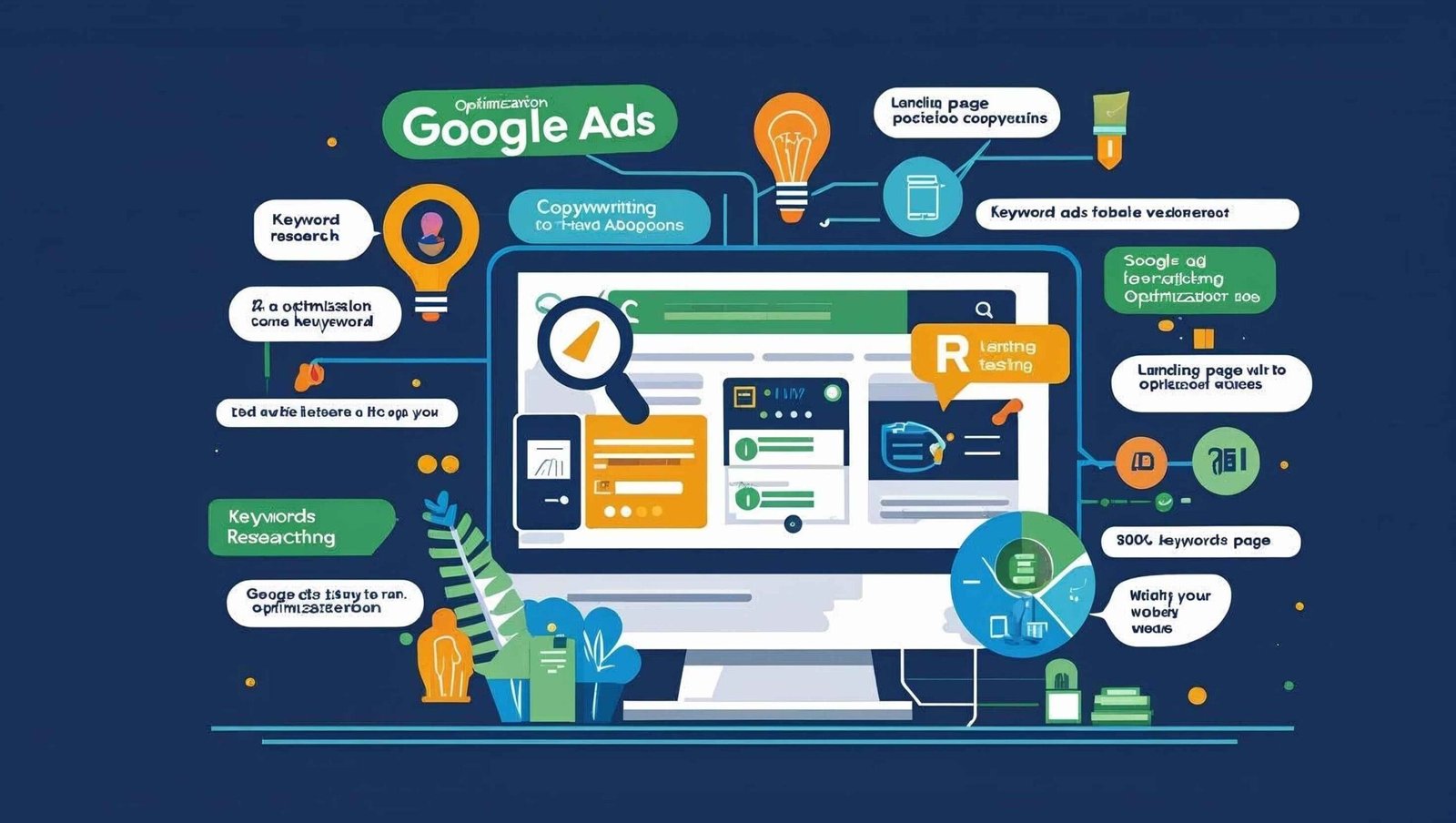
Running ads without a clear strategy can quickly drain your budget. That’s why mastering Google Ads optimization tips for better ROI is essential. With the right approach, you can reach your target audience, improve click-through rates, and increase conversions—while spending less. By making smart adjustments, advertisers can unlock long-term success.

Focus on Targeting and Keywords

Effective targeting is the foundation of Google Ads success. Use long-tail keywords to attract high-intent users who are more likely to convert. Refine your audience by demographics, interests, and location. Negative keywords are also crucial, as they help eliminate irrelevant clicks that waste ad spend.

Improve Ad Quality Score

Google rewards advertisers with higher-quality scores by offering better visibility and lower cost-per-click (CPC). To boost your score:

  • Write compelling ad copy that includes your primary keyword.

  • Use strong calls-to-action (CTAs) to encourage clicks.

  • Align ad copy with the landing page content for a seamless experience.

The better your quality score, the higher your chances of achieving better ROI.

Leverage Ad Extensions

Ad extensions make your ads more informative and engaging. Options like sitelinks, callouts, and structured snippets can highlight unique features or services. This not only improves visibility but also enhances click-through rates, giving you more value for every impression.

Track and Adjust Campaigns Regularly

Consistent monitoring is one of the most effective optimization strategies. Use Google Analytics and conversion tracking to identify which ads perform best. A/B test different ad variations, adjust bids, and pause underperforming campaigns. This ongoing process ensures your ads remain competitive and cost-effective.

Conclusion

Implementing the right Google Ads optimization tips for better ROI can dramatically improve your campaign results. By refining targeting, enhancing ad quality, using extensions, and consistently analyzing performance, businesses can maximize their return on investment. With these strategies, you’ll not only save money but also achieve higher conversions and sustainable growth.


Effective Retargeting Ad Strategies for Beginners

Effective Retargeting Ad Strategies for Beginners

Category: SEO
by
Effective Retargeting Ad Strategies for Beginners

Introduction to Retargeting Ads

For marketers stepping into digital advertising, understanding effective retargeting ad strategies for beginners is essential. Retargeting focuses on re-engaging users who previously interacted with your website, social media, or ads but didn’t convert. Since most visitors don’t make a purchase on their first visit, retargeting helps bring them back, increasing the chances of conversion while reducing wasted ad spend.

Segmenting Your Audience

The first step in creating successful retargeting campaigns is audience segmentation. Beginners should divide their audience based on behavior—for example, visitors who abandoned their cart, viewed specific product pages, or spent significant time browsing. By tailoring ads to each segment, businesses can deliver personalized messages that directly address user intent.

Choosing the Right Platforms

Selecting the right platforms is crucial for retargeting success. Beginners should start with platforms like Google Display Network and Facebook Ads, as they offer wide reach and advanced targeting tools. LinkedIn is also effective for B2B retargeting, while Instagram works well for visually engaging products. Choosing platforms that align with your audience ensures maximum visibility and relevance.

Crafting Compelling Ad Creatives

The power of retargeting lies in delivering ads that remind users of what they’re missing. Beginners should focus on:

  • Using high-quality visuals of products.

  • Writing persuasive copy with clear calls-to-action (CTAs).

  • Offering incentives like discounts or free shipping to encourage conversions.

Rotating creatives frequently keeps ads fresh and prevents “banner fatigue.

Frequency and Timing

An often-overlooked part of retargeting is frequency capping. Showing ads too often can annoy users, while too few impressions may reduce effectiveness. Beginners should find a balance—around 3 to 5 impressions per user per week—to maintain visibility without overwhelming the audience. Additionally, time-sensitive campaigns, such as holiday sales, work well when aligned with customer intent.

Conclusion

Mastering effective retargeting ad strategies for beginners requires understanding audience behavior, choosing the right platforms, and creating engaging ad creatives. By applying these strategies with the right frequency and timing, businesses can re-engage lost visitors, boost conversions, and maximize return on investment.


Best Local SEO Strategies for Small Businesses in 2025

Best Local SEO Strategies for Small Businesses in 2025

Category: SEO
by
Best Local SEO Strategies for Small Businesses in 2025

In the fast-changing digital world, adopting the best local SEO strategies for small businesses in 2025 is essential for standing out in your community. Local SEO focuses on optimising your online presence so nearby customers can easily find you. With mobile and “near me” searches on the rise, mastering local SEO can give small businesses a powerful competitive edge.

Optimise Your Google Business Profile

Your Google Business Profile (GBP) is a must-have. Complete all business details, add high-quality images, update opening hours, and post regularly. Encourage happy customers to leave reviews and always respond to them to build trust.

Target Local Keywords

Use keyword tools like Google Keyword Planner or Ubersuggest to find location-specific keywords such as “best café in [city]” or “[service] near me.” Include these in your website titles, meta descriptions, and blog content for better local rankings.

Build Local Citations

Ensure your Name, Address, and Phone Number (NAP) are consistent across directories like Yelp, Bing Places, and local chamber of commerce websites. This consistency boosts search engine trust in your business.

Create Location-Specific Content

Publish blog posts and landing pages that focus on your area. Examples include “Top 10 Restaurants in [City]” or “How to Choose a Plumber in [City].” This helps connect with your target audience and improve local visibility.

Get More Reviews

Customer reviews influence both SEO rankings and buyer decisions. Politely request reviews after a sale or service and provide direct links for convenience.

Optimise for Mobile and Voice Search

Make sure your website loads quickly and looks great on smartphones. Include conversational keywords to match voice search queries like “Where’s the nearest…?”

Conclusion

By implementing these best local SEO strategies for small businesses in 2025, you can improve your search rankings, attract more local customers, and build a strong community presence. Consistency, quality content, and customer engagement are the keys to long-term success in local SEO.


Top Content Marketing Strategies for E-commerce Websites

How to Become a Full-Stack Web Developer from Scratch

Category: SEOWebsitewordpress
by
Full-Stack Web Developer from Scratch

Becoming a full stack developer roadmap from scratch may seem challenging, but with the right approach and dedication, it is absolutely achievable. A full-stack developer is someone who works on both the front-end and back-end of web applications. This means understanding everything from the user interface to the server-side logic and databases.

Step 1: Understand the Basics of Web Development

Start by learning the fundamentals of HTML, CSS, and JavaScript. These are the building blocks of front-end development. HTML structures your content, CSS styles it, and JavaScript adds interactivity. Platforms like free Code Camp, W3Schools, or MDN Web Docs offer beginner-friendly tutorials.

Step 2: Learn Front-End Frameworks

Once you’re comfortable with the basics, move on to modern front-end libraries and frameworks like React.js, Vue.js, or Angular. These tools make it easier to build dynamic and responsive user interfaces.

Step 3: Dive into Back-End Development

Back-end development involves server-side programming, databases, and APIs. Begin by learning Node.js with Express.js, a popular combination for JavaScript developers. Alternatively, explore other languages like Python (Django, Flask), PHP, or Ruby on Rails.

full stack web developer from scratch

Step 4: Understand Databases

Databases store your application’s data. Learn about SQL databases like MySQL or PostgreSQL, and NoSQL databases like MongoDB. Practice building CRUD (Create, Read, Update, Delete) operations to interact with data effectively.

Step 5: Version Control and Deployment

Learn Git for version control and GitHub for hosting your repositories. Practice collaborative development and push your code online. For deployment, explore Netlify, Vercel, or Heroku to launch your applications. (full stack developer roadmap).     

Step 6: Build Projects and a Portfolio

Hands-on experience is crucial. Build real-world projects like blogs, e-commerce sites, or task managers. Showcase these on a personal portfolio website to demonstrate your skills to potential employers.

Step 7: Keep Learning and Stay Updated

Web technologies evolve quickly. Follow blogs, join developer communities, and contribute to open-source projects. Continuous learning is key to staying relevant.


Screaming Frog SEO spider review blog and post on sand it solution

Screaming Frog SEO spider review

Category: SEO
by

Screaming Frog SEO Spider is a powerful website crawler that helps you improve your onsite SEO by auditing for common SEO issues such as broken links, duplicate content, page titles, meta data, and more. It is a desktop software that you can easily download and install on your computer.  

Moreover, it offers a free version that can crawl up to 500 URLs, while the paid version allows unlimited crawling and unlocks more advanced features.

In addition, Screaming Frog SEO Spider has received many positive reviews from users who appreciate its efficiency, flexibility, and comprehensive capabilities. However, like any tool, it has its strengths and weaknesses. Below are some of the pros and cons of using Screaming Frog SEO Spider.

Pros:

  • It lets you access plenty of useful data about your website, such as status codes, response times, word counts, canonicals, hreflang, etc.
  • It works with unpublished sites that can only be accessed through a login or a VPN.
  • It syncs with third-party apps like Google Analytics, Search Console, and PageSpeed Insights to get more insights and data.
  • It allows you to customize your crawls with filters, configurations, and regex.
  • It enables you to compare crawls and track changes over time.
  • It helps you visualize site architecture and internal linking with graphs and diagrams.

Cons:

  • It does not have a cloud-based service available, so you need to install it on your computer and have enough storage space and RAM.
  • It has a steep learning curve for beginners who may find the interface confusing or overwhelming.
  • It has limited search results and features with the free edition, such as Google Analytics integration, PageSpeed insights, crawl scheduling, etc.

SEO Spider Tutorials blog and post on sand it solution

SEO Spider Tutorials

Category: SEO
by

SEO Spider Tutorials are a series of guides and videos that teach you how to use the SEO Spider tool by Screaming Frog. The SEO Spider tool is a website crawler that helps you improve your onsite SEO by auditing for common SEO issues, such as broken links, duplicate content, page titles, meta data, and more

Some of the topics covered in the SEO Spider Tutorials are:

  • How to get started with the SEO Spider, including initial set-up, crawling, and viewing reports and issues discovered
  • How to find and fix broken links, redirects, and canonicals using the SEO Spider
  • How to analyse and optimize page titles, meta descriptions, headings, and content using the SEO Spider.
  • How to crawl and render JavaScript websites and frameworks using the SEO Spider.
  • How to compare crawls and track changes over time using the SEO Spider.
  • How to integrate the SEO Spider with Google Analytics, Search Console, and PageSpeed Insights to get more insights and data.
  • How to visualise site architecture and internal linking using the SEO Spider.
  • How to automate crawl reports and schedule crawls using the SEO Spider.

You can find the SEO Spider Tutorials on the Screaming Frog websiteYou can also download the SEO Spider tool for free and crawl up to 500 URLs, or buy a licence to remove the limit and access advanced features.

I hope this information was helpful for you. If you have any questions or requests related to SEO or web development, please let me know. I can assist you with some of the tasks, such as writing a blog post, designing an email newsletter, or creating a PPC ad for you. Just let me know what you need and I’ll do my best to help you. blush


What is digital marketing techniques blog and post on sand it solution

What is digital marketing techniques

Category: SEO
by

Digital marketing techniques are methods or strategies that use digital media or technologies to promote products or services to potential customers. There are many types of digital marketing techniques, such as:

  • Search engine optimization (SEO): This technique aims to improve the ranking and visibility of a website or web page on search engines like Bing or Google. SEO involves creating relevant and quality content, using keywords and phrases that match the user’s search intent, and optimizing the website’s structure and performance
  • Content marketing: This technique involves creating and distributing valuable and engaging content to attract and retain a specific audience. Content marketing can include blogs, videos, podcasts, ebooks, infographics, and more. The goal of content marketing is to educate, inform, entertain, or persuade the audience and ultimately drive them to take a desired action

What are the benefits of a good website? blog and post on sand it solution

What are the benefits of a good website?

Category: SEO
by

A good website can have many benefits for your business, such as:

  • It increases your online presence and visibility: A good website can help you reach more potential customers who are looking for your products or services online. It can also help you showcase your brand, values, and unique selling proposition to your target audience. A good website can also help you rank higher in search engines, which can drive more organic traffic to your site
  • It enhances your credibility and reputation: A good website can help you establish trust and authority in your industry and among your customers. It can also help you communicate your expertise, experience, and achievements to your visitors. A good website can also help you collect positive reviews, testimonials, and feedback from your customers, which can boost your social proof and word-of-mouth referrals
  • It improves your customer service and satisfaction: A good website can help you provide better service and support to your customers. It can also help you answer their questions, address their concerns, and solve their problems. A good website can also help you offer additional value to your customers, such as useful information, resources, tips, guides, blogs, videos, etc. A good website can also help you create a loyal customer base that will return to your site and buy from you again


Frog SEO Spider Website Crawler Blog Post on Sand It Solution

How to Use Screaming Frog SEO Spider Website Crawler and Why it is Good

Category: SEO
by

Screaming Frog SEO Spider Website Crawler is a tool that helps you check and make better your website’s SEO by going to and scanning its pages and getting important information. Screaming Frog works like Google’s crawlers: it lets you crawl any website, including e-commerce sites. But this SEO spider tool gives you important on-site data and makes easy statistics and reports. With simpler site data from Screaming Frog, you can easily see which areas your website needs to work on.

But how do you use Screaming Frog SEO Spider Website Crawler? Here are some steps to help you:

  • First, you need to download and put in the tool on your computer. Screaming Frog is a desktop tool that works on Windows, macOS and Linux. You can download it from their website. You can crawl 500 URLs for free, or buy a licence to remove the limit and access more features.

Next, you need to enter the URL of the website you want to crawl and click on ‘Start’. Screaming Frog will start crawling the website and show you the data right away. You can see different tabs with different data, like internal links, external links, page titles, meta descriptions, response codes, etc.

  • Then, you need to look for insights and answers in your crawl data. Crawl data can help you answer many questions and find many insights about your website’s SEO, like: